
Download GNUVocabTrain – vocabulary, language learning, flashcards, study tools, word games, language app, learn English, learn German
Overview
GNUVocabTrain is a productivity-focused mobile application designed to enhance vocabulary acquisition in English and German. The app addresses the common challenge of retaining new words by offering structured, adaptive learning experiences tailored to individual progress. Its primary purpose is to support language learners through efficient, interactive methods that promote long-term retention.
The target users include students, language enthusiasts, and professionals seeking to improve their linguistic proficiency in either English or German. While the developer did not provide additional background information, the app's open-source nature suggests a community-driven development approach, aligning with transparency and accessibility principles. Real-world use cases include daily study routines, exam preparation, and language practice during commutes or breaks.
In the broader app ecosystem, GNUVocabTrain fills a niche for lightweight, focused vocabulary tools that prioritize learning effectiveness over flashy design. It stands out as a practical solution for users who value customization and active recall techniques. The app’s longevity since its release in 2013 indicates a stable, functional core that continues to serve its purpose without requiring frequent updates.
Key Features & Functionality
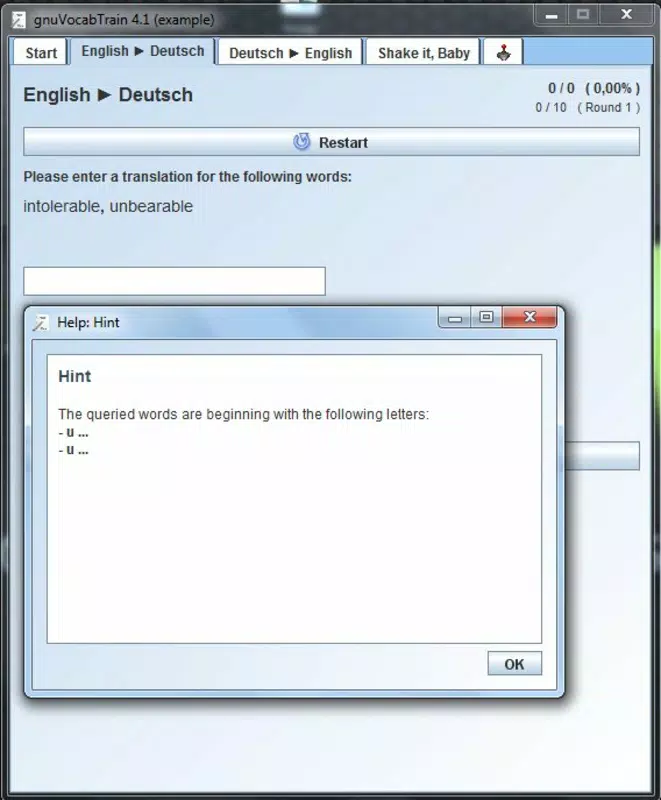
- Intelligent Study Mode: This feature analyzes user performance to identify frequently missed or difficult words, adjusting future sessions to prioritize these terms. This adaptive approach ensures that study time is used efficiently, focusing on weak areas rather than repeating known vocabulary.
- Customizable Language Support: Initially configured for English and German, the app allows users to expand language coverage. This flexibility supports personalized learning paths and accommodates users aiming to learn multiple languages simultaneously.
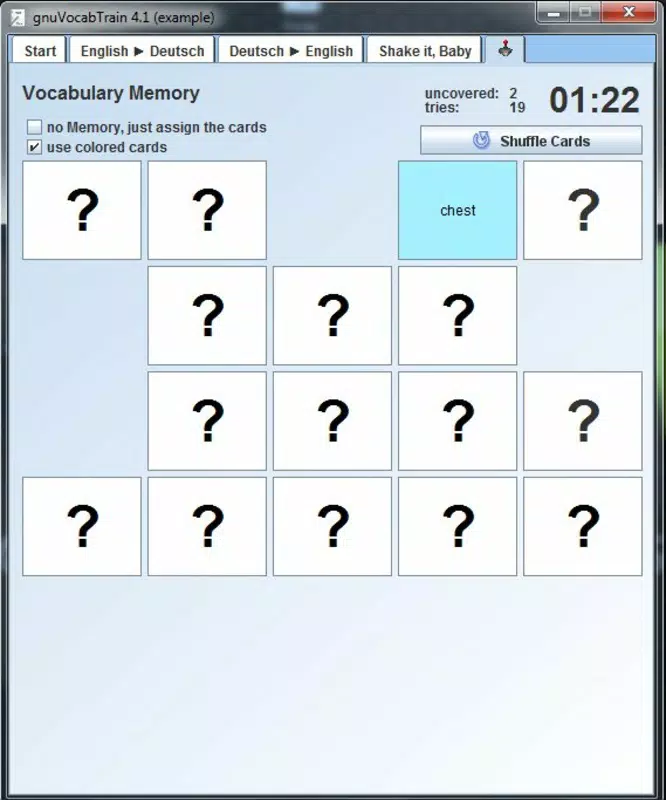
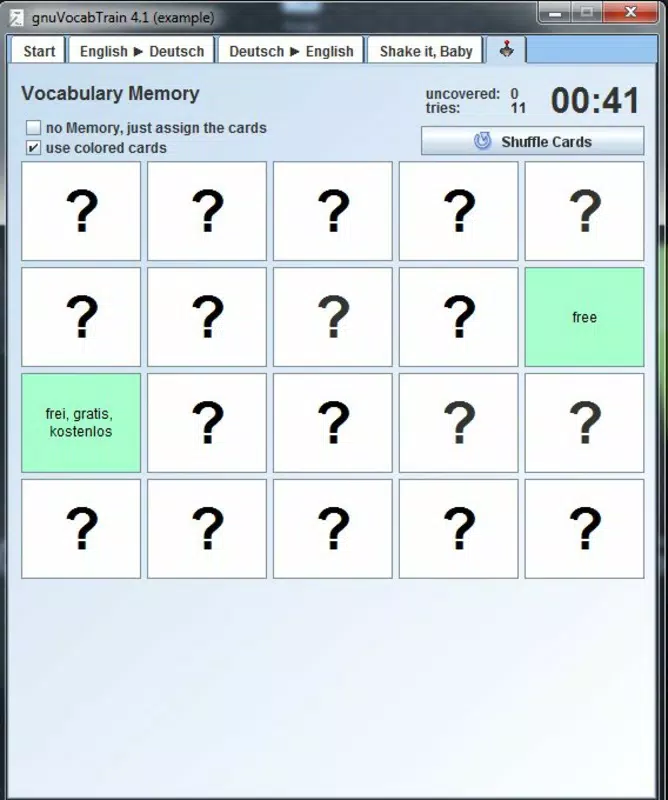
- Engaging Card Game: A memory-style card game reinforces vocabulary through interactive matching of definitions, translations, or visual cues. This gamified element enhances retention by turning repetition into an enjoyable activity.
- Comprehensive Vocabulary Editor: The built-in editor enables users to create, modify, and organize custom word lists. It supports various formats, including special characters, making it suitable for diverse linguistic inputs.
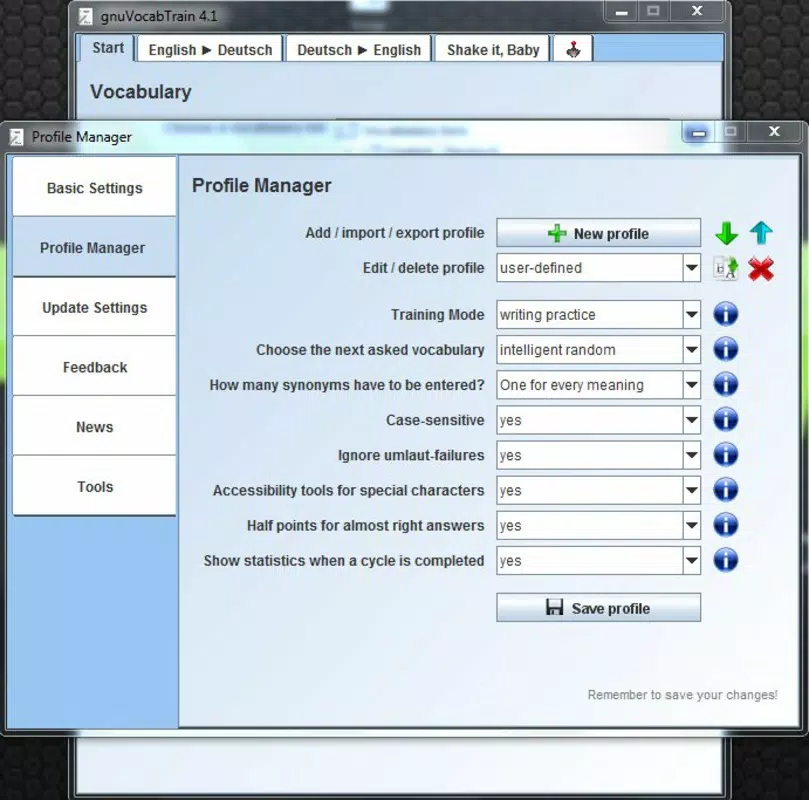
- Profile Customization: Users can establish multiple profiles to manage different learning goals, languages, or study environments. Settings can be edited to reflect evolving preferences and progress.
These features collectively support a dynamic learning process. For example, a student preparing for a German language exam can use the intelligent study mode to focus on high-frequency challenge words, while using the card game during short breaks to reinforce memory. Similarly, a professional learning English for work can create custom profiles for business terminology and general vocabulary, ensuring targeted practice.
Interface, UX & Performance
The user interface of GNUVocabTrain appears to follow a clean, functional layout optimized for productivity. Visual elements are minimal, prioritizing readability and task clarity over decorative design. Navigation is likely linear and intuitive, guiding users through study sessions, profile management, and vocabulary editing.
The app’s responsiveness is expected to be consistent across device categories, though specific performance metrics were not disclosed. Although the developer did not list formal performance metrics, the lightweight file size of 12.5 MB suggests efficient resource usage, which may contribute to smooth operation on a range of Android devices. Stability is implied by the app’s continued availability since 2013, indicating a reliable core.
However, without user feedback or crash reports, real-world reliability cannot be confirmed. The app likely maintains consistent performance during regular use, but users on older devices may experience variability depending on system resources. Overall, the UX emphasizes usability and focus, aligning with its role as a study tool rather than a multimedia experience.
Platform Compatibility & Technical Requirements
GNUVocabTrain is available exclusively on the Android platform. The current software version is 1.0.1, with a file size of 12.5 MB. The developer did not specify minimum OS requirements or compatibility details for specific Android versions.
As such, users should verify whether the app runs on their device’s operating system. The app’s lightweight design may support older Android versions, but this cannot be confirmed without official documentation. No additional hardware requirements were provided.
For users seeking to install the app, it is important to ensure compatibility with their device’s current Android environment. The absence of iOS availability limits access for users on Apple devices. The app remains free to download and use, making it accessible to a broad audience seeking low-cost language learning tools.
Pros and Cons
- Lightweight and efficient with a small file size of 12.5 MB
- Offers intelligent study adaptation to focus on weak vocabulary
- Supports customization of languages and user profiles
- Includes interactive card game for engaging learning
- Free to download and use with no in-app purchases
- Developer did not provide detailed technical specifications or OS requirements
- Only available on Android, with no iOS version announced
- No official updates or changelog information available since release
- Interface may appear outdated compared to modern mobile apps
- Limited external support or community resources documented
FAQ
Is GNUVocabTrain safe to download and use?
Yes, the app is free and available through official Android channels. As a lightweight, open-source tool, it does not require excessive permissions. Users should ensure they download it from trusted sources to maintain security.
Can I use GNUVocabTrain on iOS devices?
No, the app is currently only available for Android. There is no official iOS version released by the developer.
How do I add new languages to the app?
The app supports customizable language profiles. Users can add new languages using the built-in vocabulary editor, though specific steps were not detailed in the provided information.
Does GNUVocabTrain require an internet connection?
Based on its design as a standalone study tool, GNUVocabTrain likely functions offline. No internet dependency was mentioned, making it suitable for use without connectivity.
Is there a way to update GNUVocabTrain?
Updates may be available through the Google Play Store. However, no official update history or changelog was provided. Users should check their app store for the latest version.
Final Thoughts + CTA
GNUVocabTrain delivers a focused, effective solution for individuals committed to expanding their vocabulary in English and German. Its intelligent study mode, customizable profiles, and interactive card game combine to create a balanced learning experience that is both practical and engaging. While the app lacks modern design polish and has not seen recent updates, its core functionality remains intact and valuable.
The absence of in-app purchases and its free availability make it a strong choice for budget-conscious learners. It is particularly well-suited for students, self-learners, and professionals who prefer a no-frills, efficient approach to language study. For those seeking a lightweight, reliable tool to support daily vocabulary practice, GNUVocabTrain offers consistent value.
Download GNUVocabTrain now


